Benchmark Overview
This page summarizes representative benchmark results for the HitPaw Image Enhancement API. It is intended as a technical reference for developers who want to understand where different model families perform best.
For endpoint details and request examples, see the API Reference. For model behavior and visual examples, see Available Models.
What This Page Covers
The benchmark notes below focus on three common evaluation needs:
- Extreme upscaling on degraded inputs
- Recovery quality on real-world noisy images
- Structural stability on geometry-heavy scenes
These results are useful when choosing between generative restoration models and more conservative enhancement models.
Key Takeaways
generative_4xis the strongest option in this set when the input is severely degraded and needs aggressive 4x reconstruction.face_v2_2xis the more texture-faithful portrait option when natural facial detail matters more than soft beautification.- Different datasets stress different capabilities, so model selection should follow the actual failure mode of the source image rather than a single global score.
Benchmark Highlights
4x Super-Resolution on Challenging Inputs
The table below compares HitPaw generative_4x against Real-ESRGAN on three representative datasets.
| Dataset Context | Baseline (Real-ESRGAN) | HitPaw (generative_4x) | Improvement |
|---|---|---|---|
| DIV2K (complex textures) | 17.30 PSNR | 21.70 PSNR | +4.40 dB (+25.4%) |
| RealSR (real-world noise) | 22.49 PSNR | 26.84 PSNR | +4.35 dB |
| Urban100 (geometric lines) | 21.05 PSNR | 22.99 PSNR | +1.94 dB |
Interpretation:
- On heavily degraded 4x tasks,
generative_4xshows the largest gain on texture-rich and real-world data. - Urban100 still improves, but by a smaller margin, which is typical for geometry-heavy scenes where line stability matters as much as texture synthesis.
Portrait Fidelity
For portrait enhancement, face_v2_2x is the model in this benchmark set that best balances clarity with natural skin texture.
| Model | Task | PSNR | SSIM | Practical Meaning |
|---|---|---|---|---|
face_v2_2x | Portrait enhance | 28.91 | 0.8148 | Preserves facial texture better and avoids an overly smooth result |
Interpretation:
- Use
face_v2_*when realism, pores, wrinkles, eyelashes, and facial texture retention are important. - Use
face_*instead when the preferred output is softer and more beautified.
How To Read These Results
Benchmark numbers are directional, not absolute guarantees for every input.
- PSNR is helpful for measuring reconstruction accuracy against a reference image.
- SSIM is helpful for judging structural similarity and perceptual consistency.
- In production use, visual quality should still be checked alongside metrics, especially for generative restoration models.
In practice:
- Choose
generative_*when the image is heavily compressed, very blurry, or missing detail. - Choose
high_fidelity_*when the source is already fairly good and you want conservative enhancement. - Choose
general_*for standard non-face enhancement. - Choose
face_v2_*orgenerative_portrait_*for human subjects, depending on how degraded the source is.
Dataset Notes
DIV2K
Best for evaluating texture reconstruction and detail recovery on high-quality reference imagery.
RealSR
Best for evaluating recovery on realistic degradation, including sensor noise and non-ideal capture conditions.
Urban100
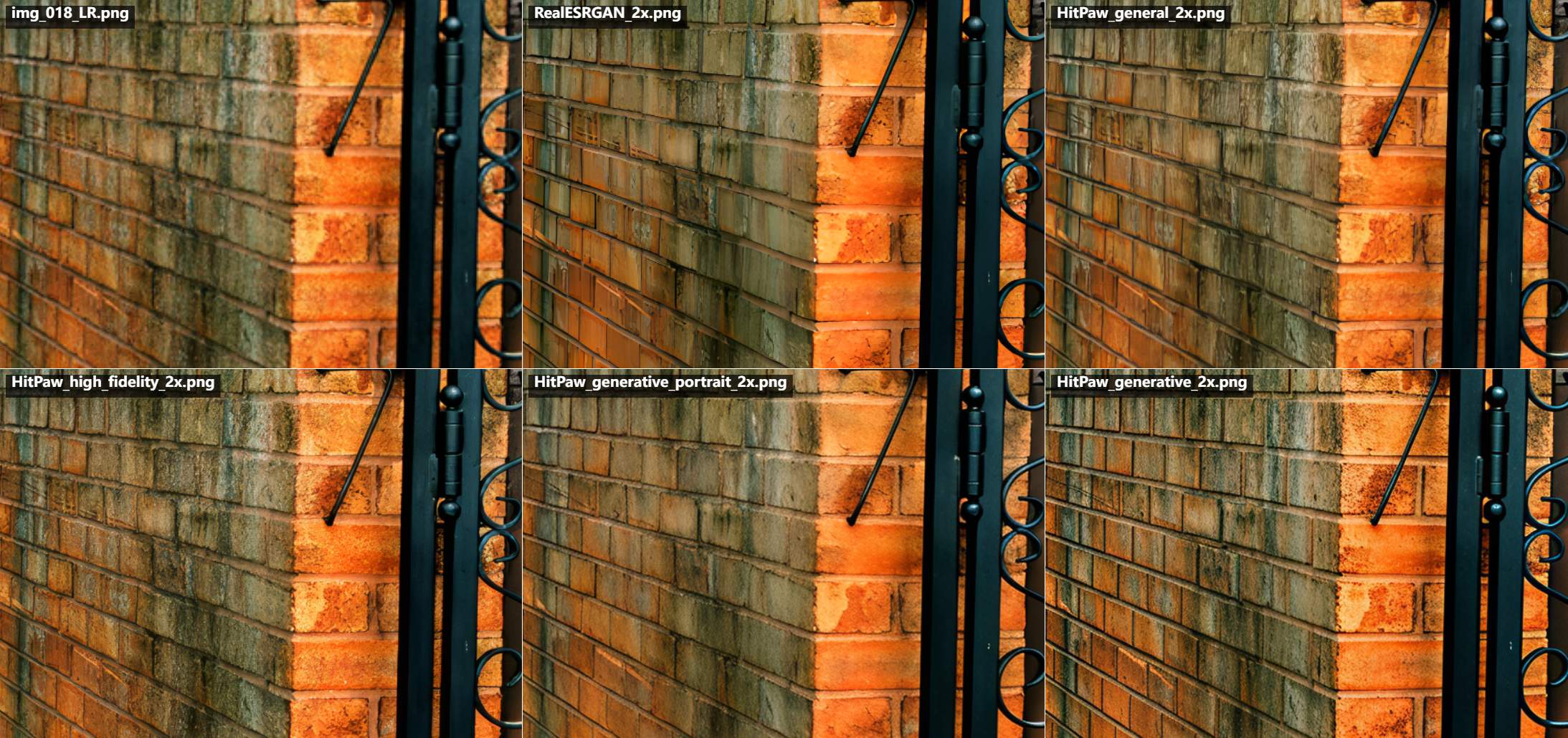
Best for evaluating architectural detail, repeated structures, and line stability.
Visual Examples
DIV2K: Extreme Generative Recovery
Focus: reconstructing complex textures under 4x upscaling.
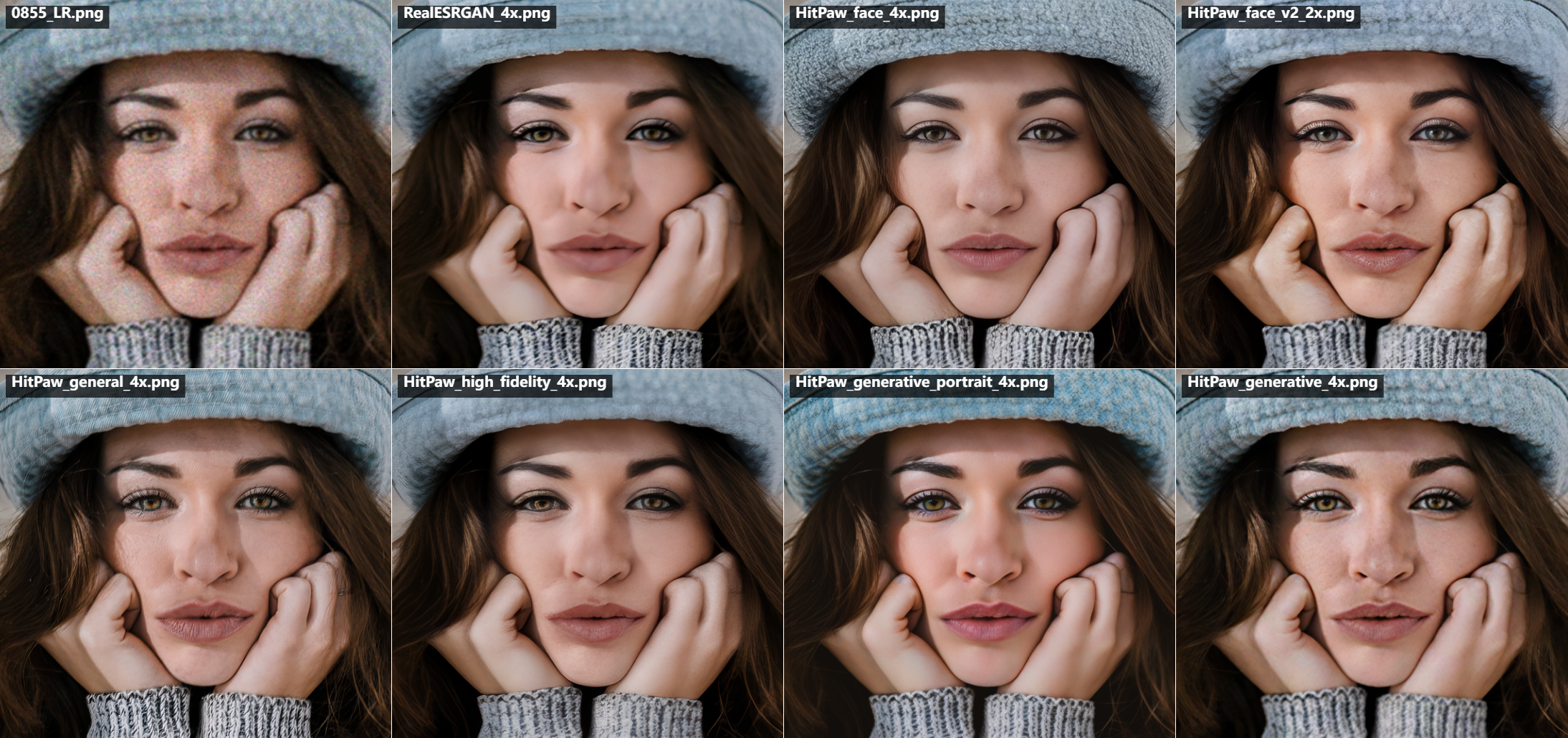
RealSR: Real-World Noise Processing
Focus: handling real-world noise and restoration artifacts.
_1x-2eded01a395fce86e4fd174fed07354e.png)
Urban100: Structural Integrity
Focus: preserving straight lines and architectural structure.
Model Selection Guidance
Use this page together with the API model list when selecting a model:
- For severe low-resolution image recovery:
generative_2xorgenerative_4x - For realistic portrait recovery:
face_v2_2xorface_v2_4x - For highly degraded portraits:
generative_portrait_1x,generative_portrait_2x, orgenerative_portrait_4x - For standard non-face enhancement:
general_2xorgeneral_4x - For conservative upscaling of already good images:
high_fidelity_2xorhigh_fidelity_4x
Reference Links
Get started by Purchasing an API Key Now to unlock full access to the HitPaw Enhancement API.